
Handling Order Cancellation Requests in GorgiasUpdated 8 months ago
Overview:
This guide is designed for customer service representatives or employees using Gorgias to manage customer interactions. When a customer requests a cancellation, it’s important to follow these steps to ensure the request is handled properly, communicated effectively with the fulfillment team, and the customer is fully informed.
Steps for Handling Cancellation Requests:
Send the ‘Request to Cancel’ Macro:
When a cancellation request comes in via Gorgias, the first step is to send the "Request to Cancel" macro to the customer:Locate the Customer’s Information:
After sending the macro, navigate to the right-hand side panel in Gorgias.
This panel contains all the Shopify information related to the customer and their order history.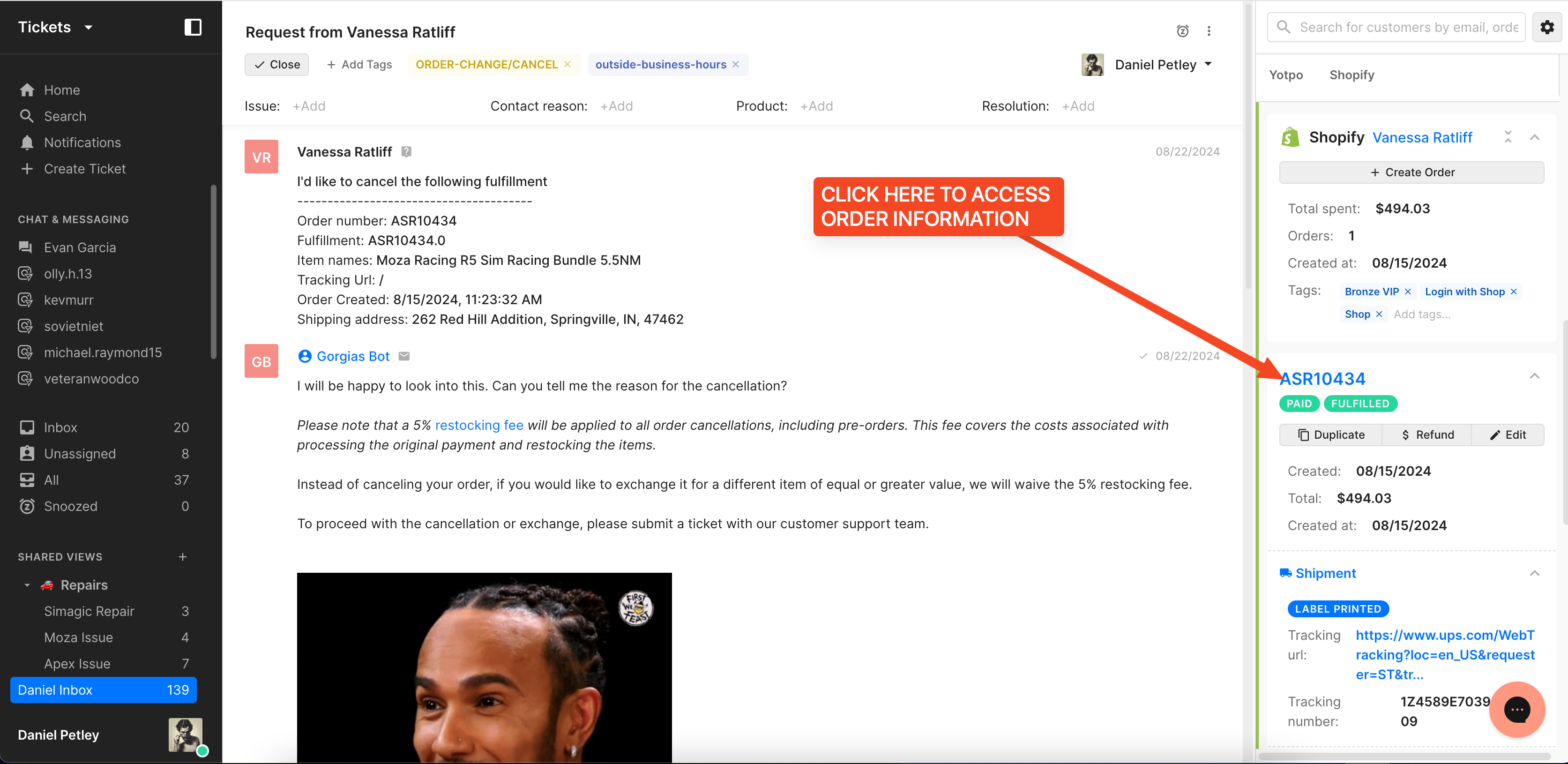
Identify the Order:
Click on the specific order that the customer has requested to cancel. This will provide you with detailed information about the order, including its current status and any relevant notes.Communicate with the Fulfillment Team:
Once you’ve identified the correct order, it’s important to alert Christian Lima to the cancellation request. Since Christian does not work in Gorgias frequently, you’ll need to make sure he is notified directly. Write a comment on the order and be sure to mention Christian by @'ng him (e.g., @Christian Lima), clearly stating that the customer has requested to cancel the order. This ensures that Christian is aware of the request in case he is about to fulfill the order.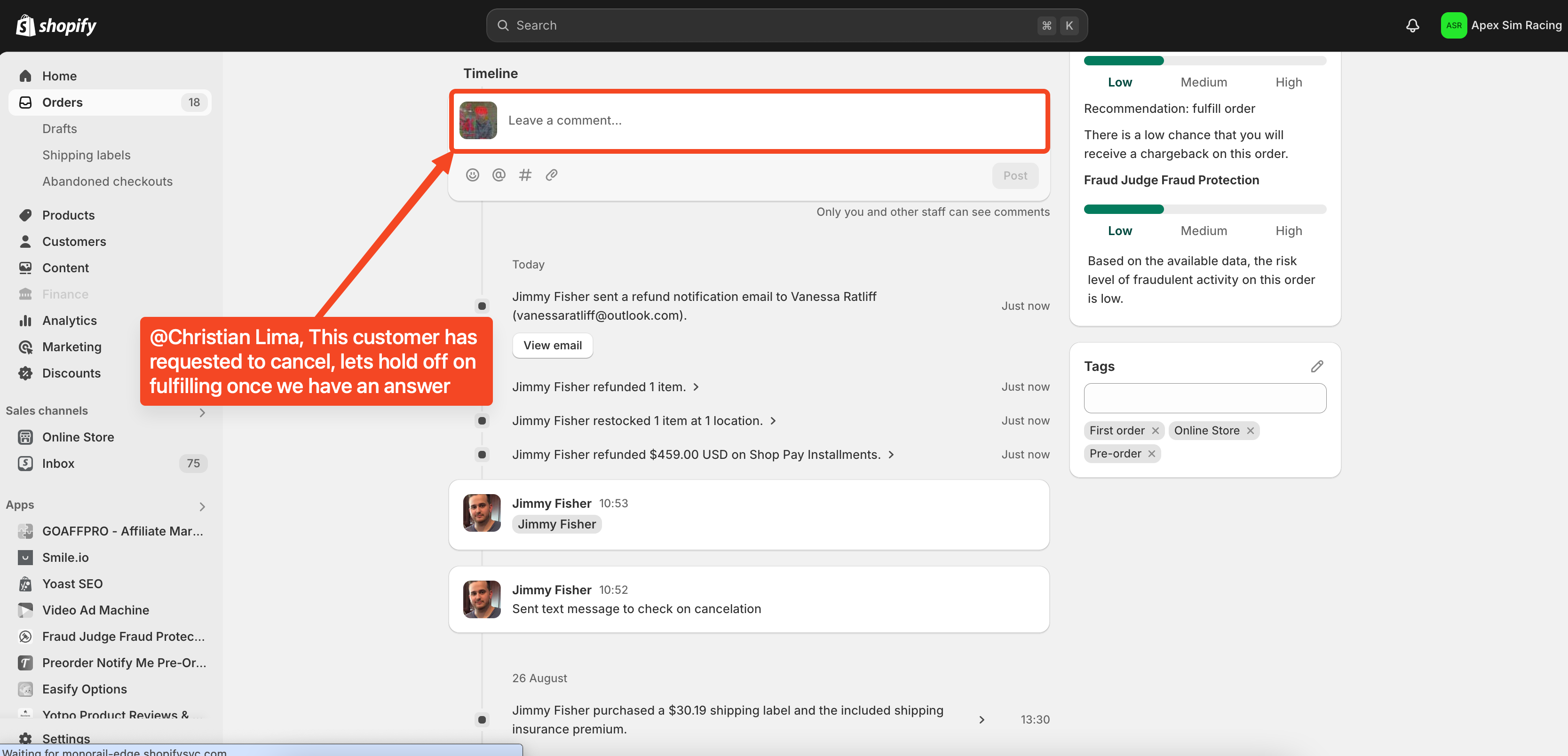
Await Confirmation:
After notifying Christian, wait for confirmation that the cancellation has been processed. This may involve checking back for a response or update in Gorgias or following up with with the customer and Christian if needed.Respond to the Customer:
Once the cancellation is confirmed, promptly update the customer to let them know their order has been successfully canceled. Provide any additional information they may need, such as details about refunds, restocking fees, or next steps.
Important Notes:
- Always double-check the order details before requesting a cancellation to ensure accuracy.
- The "Request to Cancel" macro must be sent as the first step to ensure the customer is aware of the restocking fee and possible alternatives.
- Timely communication with Christian is crucial to prevent any accidental fulfillment of the order.
- Keep the customer informed throughout the process to maintain transparency and trust.
Conclusion:
Following these steps ensures that customer cancellation requests are handled smoothly and that the fulfillment team is kept in the loop. This process helps prevent errors, ensures the customer is fully informed and contributes to a positive customer experience.